
Screenshots
App details
- Updated
- Mar 11, 2010
- Language
- English
- Category
- Mobile
SoftPas in:
This product is also available in the following languages:
About Wiagra Video Effector
Download Wiagra Video Effector – Video Editing, Special Effects, Watermark, Format Conversion
Overview
Wiagra Video Effector is a mobile application designed to meet the basic video editing needs of casual users and content creators seeking simple yet functional tools. The app enables users to enhance their videos with special effects, insert watermarks, apply transitions, and convert video formats—all within a single interface. Its primary purpose is to provide a lightweight solution for users who want to edit videos on the go without relying on complex desktop software. The app targets beginners and hobbyists who require straightforward tools for personal or social media content creation. While it is not intended for professional-grade editing, it offers a practical entry point for those exploring video production. The developer did not provide additional background information, leaving the app’s origin and development history largely unverified. However, its release date of March 11, 2010, suggests it has been in circulation for over a decade, indicating a long-standing presence in the mobile editing space. Real-world use cases include adding branded watermarks to videos for social media, applying fun effects to personal clips, and converting files for compatibility with different devices. In the broader app ecosystem, Wiagra Video Effector occupies a niche as a legacy utility tool, offering foundational features in a compact package.
Key Features & Functionality
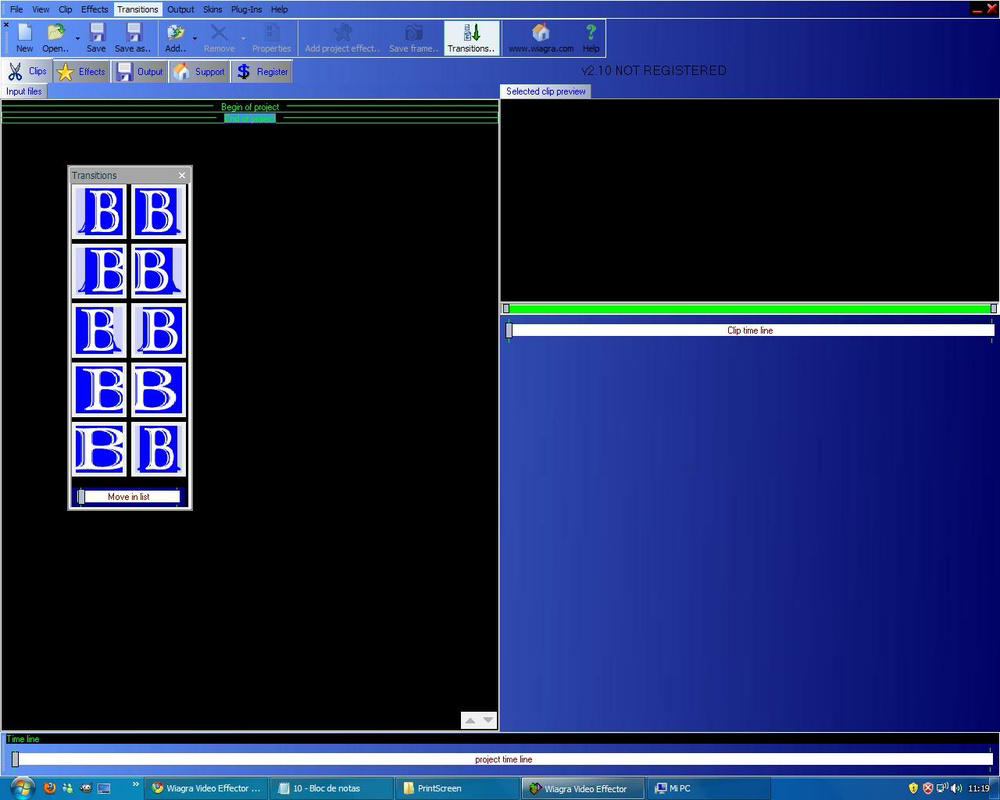
- Special Effects Addition: Users can enhance their videos by inserting dynamic images, animated GIFs, and applying transition effects. This feature allows for creative expression in personal videos, making them more engaging for viewers.
- Watermark Insertion: The app supports adding custom watermarks, which can be used to protect content from unauthorized use or to promote a brand, channel, or personal identity.
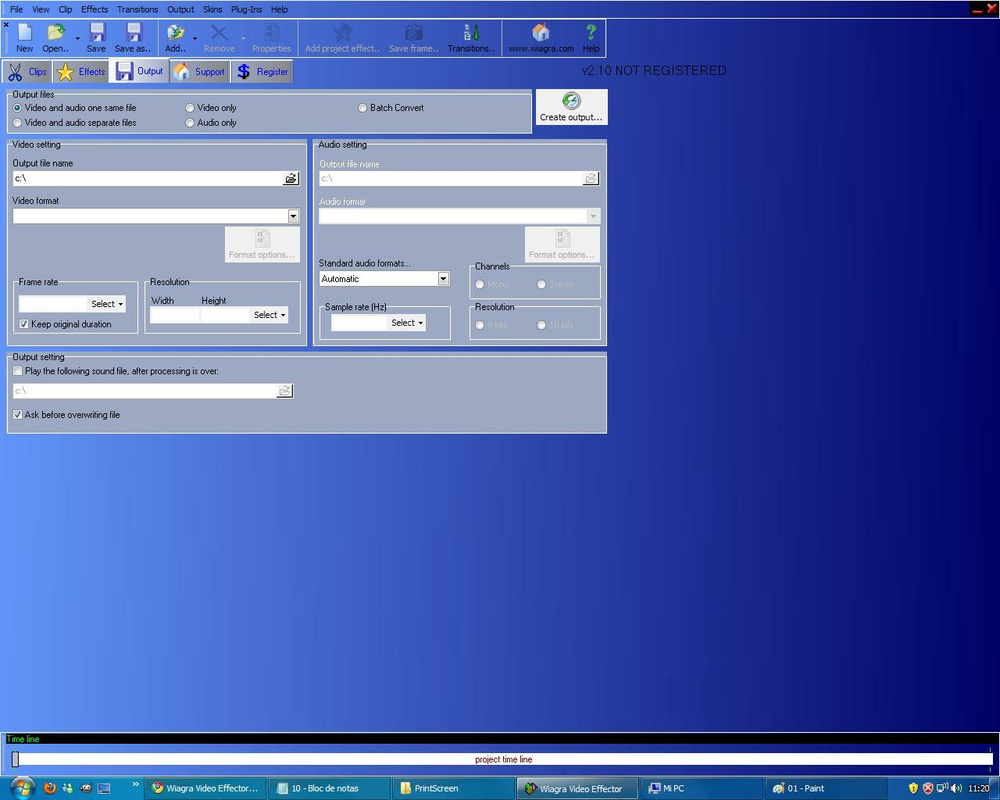
- Video Format Conversion: Wiagra Video Effector can convert videos between common formats such as MPG and AVI, simplifying the process of preparing content for different platforms or devices.
- Customizable Interface: The app offers multiple skins to modify its visual appearance, allowing users to personalize the interface to better suit their preferences, despite its potentially non-intuitive layout.
- Basic Tool for Beginners: Designed with simplicity in mind, the app serves as an accessible starting point for users new to video editing, offering essential functions without overwhelming complexity.
For example, a social media user might use the watermark feature to brand their videos with a logo, while a student could convert a recorded lecture from AVI to a more widely supported format. The integration of effects and transitions helps make short-form videos more dynamic. While the functionality is limited compared to professional software, the app delivers on its promise of providing essential editing tools in a single, compact application.
Interface, UX & Performance
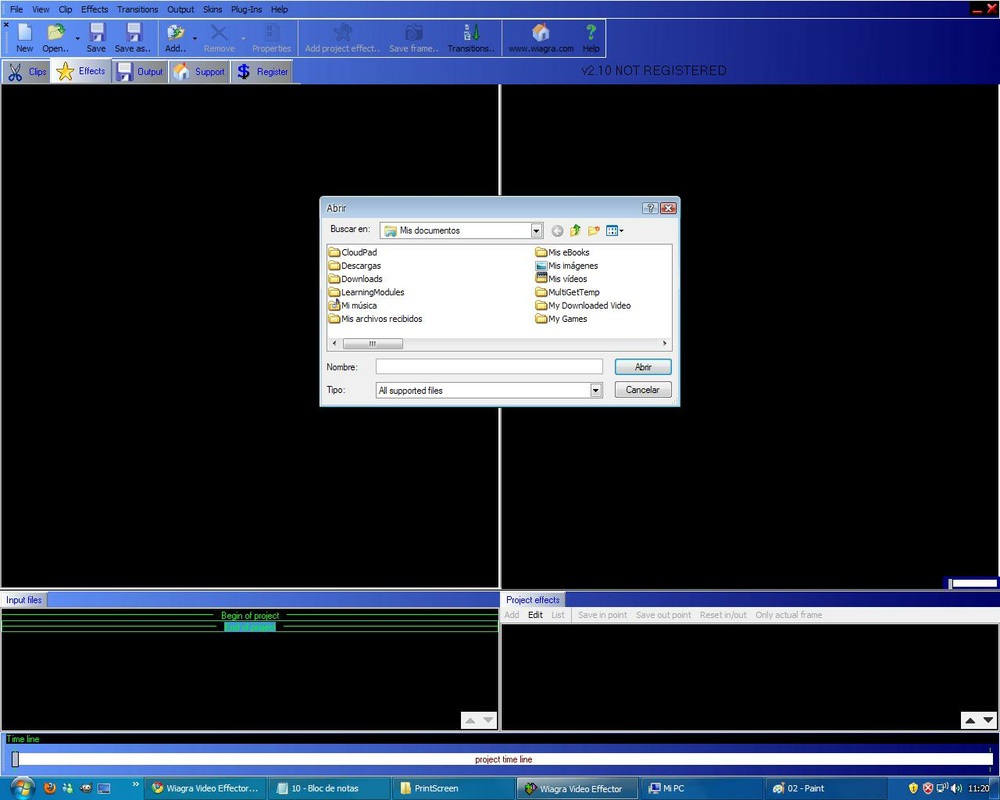
The user interface of Wiagra Video Effector appears to prioritize functionality over intuitive design, which may present a learning curve for first-time users. Navigation is likely structured around core editing tools, though the developer did not provide detailed information about the layout or interaction patterns. The visual style is minimal, with a focus on utility rather than aesthetic polish. Users can customize the interface using available skins, which may improve visual comfort and personal preference alignment. However, the overall experience may feel outdated compared to modern video editing apps with drag-and-drop workflows and real-time previews. Although the developer did not list formal performance metrics, the app’s long-standing presence suggests it remains stable across various device categories. Responsiveness may vary depending on device capabilities, particularly on older hardware. The app’s performance on newer systems is not documented, but its continued availability indicates it maintains basic compatibility. Stability is implied by its longevity, though no specific crash reports or update logs were provided.
Platform Compatibility & Technical Requirements
Wiagra Video Effector is available on Android, though the specific operating system version requirements were not listed. The app’s file size is not disclosed, which makes it difficult to assess storage impact or installation feasibility on low-end devices. The developer did not specify minimum hardware or software prerequisites, leaving compatibility with modern smartphones uncertain. While the app was released in 2010, its current functionality on newer Android versions remains unverified. Users should exercise caution when installing older applications, especially those without recent updates, due to potential security and compatibility risks. The lack of detailed technical information prevents a full assessment of performance across different device types. It is recommended to verify the app’s safety and compatibility before installation, particularly on devices running the latest Android versions.
Pros and Cons
Pros
- Offers essential video editing tools like effects, transitions, and watermarking.
- Supports video format conversion for better compatibility.
- Provides customizable interface skins for personalization.
- Designed for beginners seeking a simple editing solution.
- Available as a free tool, reducing entry barriers for new users.
Cons
- Interface may not be intuitive for first-time users.
- Limited functionality compared to professional editing software.
- Developer did not provide performance metrics or compatibility details.
- App has not been updated since 2010, raising concerns about security and modern OS support.
- File size and system requirements are not disclosed.
FAQ
Is Wiagra Video Effector safe to download and install?
While the app has been available since 2010, its long absence from updates raises potential security concerns. Users should ensure they download from trusted sources and verify the app’s integrity before installation.
Can I use Wiagra Video Effector on iOS devices?
The app is confirmed to be available on Android. There is no information indicating iOS compatibility, so it is likely not available for iPhone or iPad users.
Does Wiagra Video Effector support HD video editing?
Specific video resolution support was not disclosed. The app’s ability to handle HD content depends on device capabilities and format compatibility.
How do I update Wiagra Video Effector?
As of now, there is no evidence of recent updates. The app may not receive official updates, so users should rely on the current version available through third-party sources.
Can I remove the watermark after adding it?
The app allows users to insert watermarks, but the ability to remove them after application is not specified. Users should test the feature before finalizing edits.
Final Thoughts
Wiagra Video Effector remains a functional tool for users seeking basic video editing capabilities on Android. While its interface and design may feel dated, the app delivers core features such as special effects, watermarking, and format conversion—making it a viable option for beginners or those needing a lightweight utility. Its long-standing presence suggests reliability, though the lack of updates since 2010 raises valid concerns about modern compatibility and security. For users who prioritize simplicity and do not require advanced editing features, the app offers a straightforward path to enhancing video content. However, advanced users or those seeking robust tools should consider more current alternatives. Despite its limitations, Wiagra Video Effector still holds value as a legacy tool for basic video tasks. Download Wiagra Video Effector now and explore its simple yet effective editing features.
Guides & Tutorials
How to install Wiagra Video Effector
- Click the Download button above.
- Once redirected, accept the terms and click Install.
- Wait for the Wiagra Video Effector download to finish on your device.
How to use Wiagra Video Effector
This software is primarily used for its core features described above. Open the app after installation to explore its capabilities.
User Reviews
No reviews yet. Be the first to share your experience.
You may also like
more
Que no te pillen¡
About !Que no te pillen¡Reviewed by Jason A. BilbreyShow MoreShow Less

3D Combat Zone
About 3D Combat ZoneOriginally released in 1983, 3D Combat Zone immerses players...

666: El día del portal
About 666: El día del portalOn June 6, 2006, Agent P. Stone uncovers a sinister...

80 in 1 Best Flash games
About 80 in 1 Best Flash games 80 in 1 Best Flash games is a collection of 80 fl...

ABYSS SEEKERーーWhat Do You See Deep in The Abyss
About ABYSS SEEKERーーWhat Do You See Deep in The AbyssIn ABYSS SEEKER, players...

ACA NEOGEO THE KING OF FIGHTERS 2002 for Windows
About ACA NEOGEO THE KING OF FIGHTERS 2002 for WindowsTHE KING OF FIGHTERS 2002,...